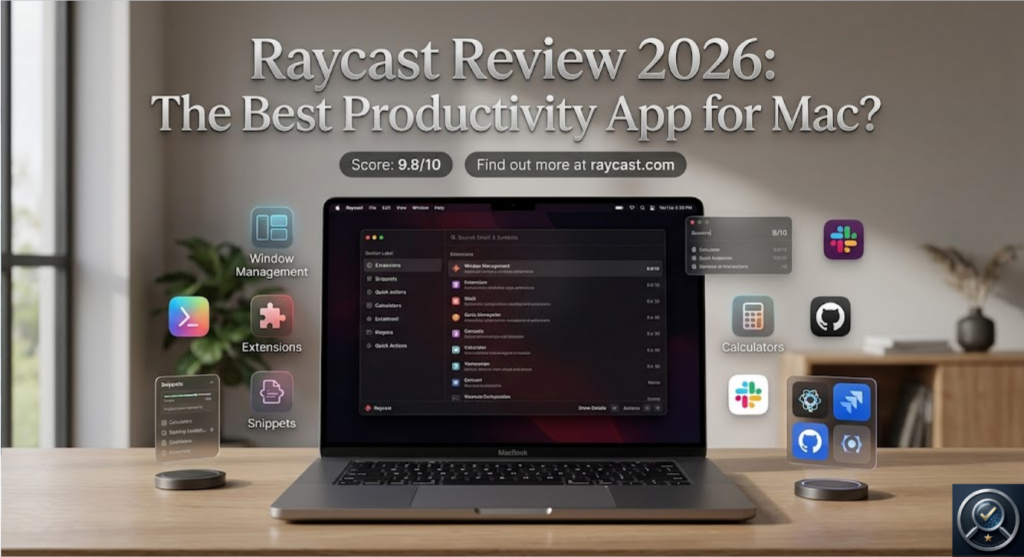
If you’re a Mac user constantly switching between apps, searching for files, opening links, managing tasks, or performing repetitive actions throughout the day, there’s a good chance you’re wasting hours every week on activities that could be completed in seconds.
That is exactly where Raycast comes in.
After spending considerable time using Raycast in my daily workflow, I can confidently say that it is one of the most powerful productivity tools available for macOS today. More than just an app launcher, Raycast has evolved into a complete productivity operating system that helps professionals, developers, creators, entrepreneurs, and teams work faster and smarter.
In this detailed review, I’ll break down everything you need to know about Raycast, including its features, benefits, real-world use cases, pricing, and why it has become an essential part of my workflow.
What Is Raycast?
Raycast is a productivity platform for macOS designed to help users control their entire workflow from a single command interface.
Think of it as a supercharged version of Spotlight Search—but dramatically more powerful.
Instead of manually navigating through folders, menus, browser tabs, and applications, Raycast allows you to instantly access almost anything on your computer using simple keyboard shortcuts.
You can:
- Launch applications
- Search files
- Open websites
- Manage tasks
- Control Spotify
- Run scripts
- Access AI tools
- Manage calendars
- Create snippets
- Control system settings
- Connect third-party apps
- Automate repetitive workflows
All without touching your mouse.
The result is a faster, cleaner, and more efficient computing experience.
Why Raycast Has Become So Popular
Most productivity tools solve a single problem.
Raycast solves dozens.
Instead of installing separate tools for launchers, clipboard managers, text expanders, automation workflows, AI assistants, window managers, and command utilities, Raycast brings everything together into one elegant platform.
This consolidation saves time, reduces distractions, and simplifies your workflow.
The more you use it, the more valuable it becomes.
Key Features That Make Raycast Exceptional
1. Lightning-Fast Application Launcher
The first thing most users notice is speed.
Simply press your Raycast shortcut, type a few letters, and launch any application instantly.
No Dock searching.
No scrolling through folders.
No wasted clicks.
For power users who open dozens of apps daily, this feature alone can save significant time.
2. Universal Search
Raycast doesn’t just search your applications.
It searches:
- Files
- Folders
- Browser bookmarks
- Calendar events
- Notes
- Commands
- Extensions
- Cloud services
Everything becomes accessible from one unified search interface.
This dramatically reduces context switching and improves focus.
3. AI-Powered Productivity
One of Raycast’s most exciting additions is its built-in AI functionality.
Instead of constantly switching between applications and AI websites, users can access intelligent assistance directly inside Raycast.
Examples include:
- Writing assistance
- Content generation
- Code explanations
- Summaries
- Research support
- Translation
- Brainstorming
- Productivity workflows
This creates a seamless experience where AI becomes part of your everyday workflow rather than a separate tool.
For professionals who regularly use AI, this integration can save countless hours.
4. Clipboard History
How many times have you copied something and later realized you lost it?
Raycast automatically stores your clipboard history, allowing you to access previously copied content whenever needed.
This feature becomes surprisingly addictive once you start using it.
You’ll wonder how you ever lived without it.
5. Snippets and Text Expansion
Raycast enables users to create reusable text snippets for frequently used content.
Examples:
- Email templates
- Customer responses
- Meeting notes
- Social media posts
- Code snippets
- Addresses
- Signatures
Instead of repeatedly typing the same information, you can insert it instantly with a shortcut.
For customer support teams, marketers, founders, and freelancers, this feature alone can save hours every week.
6. Window Management
Managing multiple windows can become frustrating on macOS.
Raycast simplifies window organization with keyboard-driven controls.
You can:
- Resize windows
- Move windows
- Split screens
- Arrange layouts
without touching your mouse.
This creates a smoother multitasking experience, especially for professionals working with multiple monitors.
7. Extensive Extension Library
One of Raycast’s greatest strengths is its ecosystem.
The Raycast Store offers hundreds of extensions covering virtually every workflow imaginable.
Popular integrations include:
- GitHub
- Notion
- Jira
- Slack
- Google Workspace
- Linear
- Asana
- Trello
- Spotify
- Figma
- Zoom
- ChatGPT
Instead of opening multiple applications, you can interact with many of these services directly through Raycast.
8. Powerful Automation
Raycast allows users to automate repetitive tasks through scripts and custom commands.
You can create workflows for:
- Opening project environments
- Running terminal commands
- Launching workspaces
- Updating task boards
- Managing files
- Executing custom business processes
Developers and advanced users particularly appreciate this flexibility.
Real Benefits of Using Raycast
Save Hours Every Week
One of the biggest productivity killers is context switching.
Every time you stop working to search for a file, open an app, or navigate menus, your concentration breaks.
Raycast dramatically reduces these interruptions.
The cumulative time savings can be substantial.
Improve Focus
Because everything is accessible from one command interface, you spend less time hunting for information and more time doing meaningful work.
This creates a smoother workflow with fewer distractions.
Reduce Tool Overload
Many users discover that Raycast replaces several standalone applications including:
- Launchers
- Clipboard managers
- Text expanders
- AI assistants
- Window managers
- Automation utilities
Fewer tools often mean fewer subscriptions and less complexity.
Increase Efficiency
The more shortcuts and workflows you create, the faster you become.
Many long-term users report significant improvements in daily productivity.
Who Should Use Raycast?
Developers
Developers can launch projects, manage repositories, execute scripts, search documentation, and integrate with coding tools from a single interface.
Founders and Entrepreneurs
Business owners often juggle dozens of tasks every day.
Raycast helps streamline communication, organization, and workflow management.
Content Creators
Writers, marketers, and creators can benefit from snippets, AI assistance, clipboard history, and workflow automation.
Remote Workers
Professionals who spend most of their day on a Mac will quickly appreciate the speed and convenience Raycast provides.
Productivity Enthusiasts
If you enjoy optimizing workflows and eliminating unnecessary clicks, Raycast is one of the best tools available.
Pros and Cons
Pros
✔ Beautiful user interface
✔ Extremely fast performance
✔ Powerful AI integration
✔ Extensive extension ecosystem
✔ Clipboard history included
✔ Snippets and text expansion
✔ Workflow automation
✔ Regular updates
✔ Generous free plan
✔ Excellent developer support
Cons
✖ Available only for macOS
✖ Advanced features require a learning curve
✖ Power users may eventually upgrade to paid plans
Is Raycast Worth It?
Absolutely.
Whether you’re a developer, entrepreneur, marketer, creator, freelancer, or business professional, Raycast has the potential to transform the way you work.
The platform combines speed, convenience, automation, AI, and workflow optimization into a single elegant package.
What makes Raycast truly special is that its value increases over time.
The more you integrate it into your workflow, the more indispensable it becomes.
Many users start by replacing Spotlight and eventually find themselves managing large portions of their daily workflow through Raycast.
Final Verdict
Raycast is not just another productivity application.
It is one of the most complete workflow optimization platforms available for macOS users today.
Its combination of blazing-fast performance, AI-powered capabilities, automation tools, clipboard management, snippets, extensions, and workflow integrations makes it an outstanding investment for anyone serious about productivity.
If you want to work faster, reduce distractions, automate repetitive tasks, and unlock the full potential of your Mac, Raycast is one of the best tools you can install.
Get Started with Raycast Today
Ready to experience a faster and smarter way to work on your Mac?
👉 Sign up using my referral link:
Start with the free version, explore its powerful features, and discover why thousands of professionals consider Raycast one of the most valuable productivity tools available today.
Once you start using Raycast, you’ll quickly realize that going back to a traditional workflow feels almost impossible.